
LemonPyHub
Free Windows Utilities and System Tools
100% Free • Open Source • No Bloatware
Our collection of free, open-source Windows utilities helps you optimize, clean, and manage your system better. Every tool is tested and 100% safe.
Play Our New Live STEM Projects Game!
To start, click the Green Flag in the center of the game screen, or click "View on Scratch Studio" to support us.
View on Scratch Studio to support us!
Ready-to-Use Windows Utilities
All tools are portable (no installation) or come with simple installers. Verified by VirusTotal.
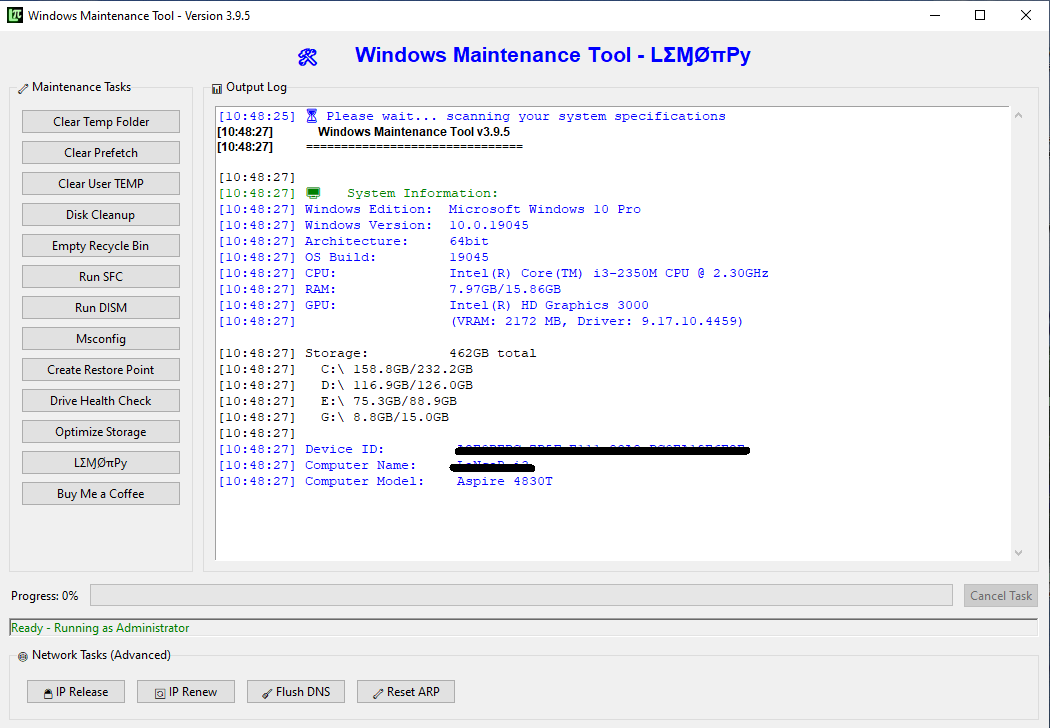
Windows Maintenance Tool
One-click system cleaner: temp files, SFC, DISM, storage optimization. GUI for beginners.
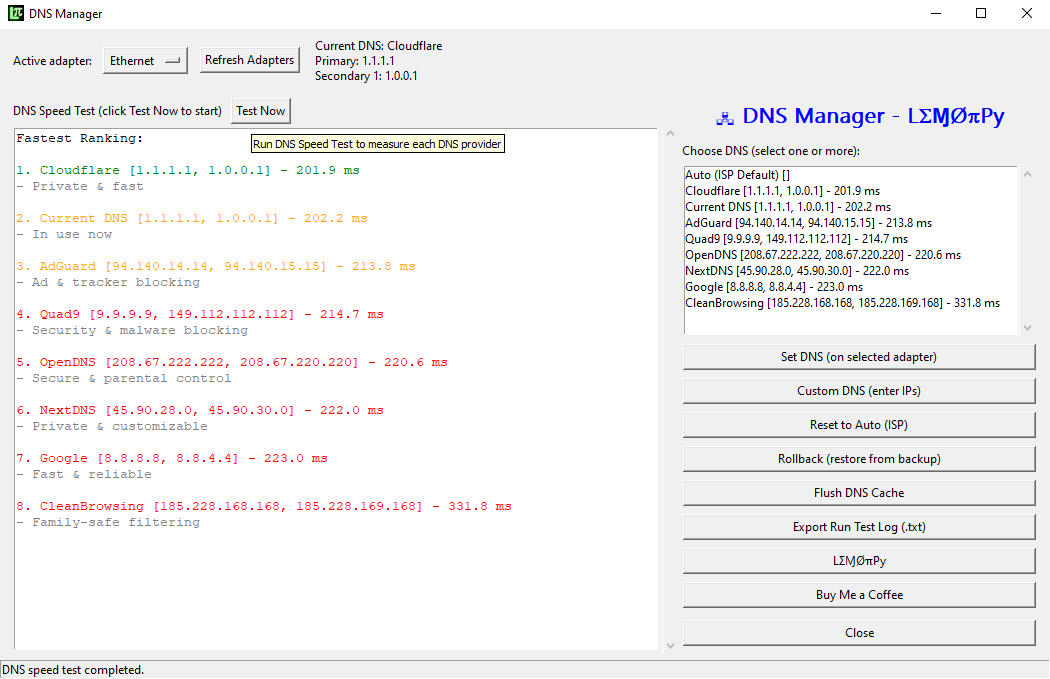
DNS Manager
Find & set fastest DNS automatically. Switch between Google, Cloudflare, AdGuard with one click.
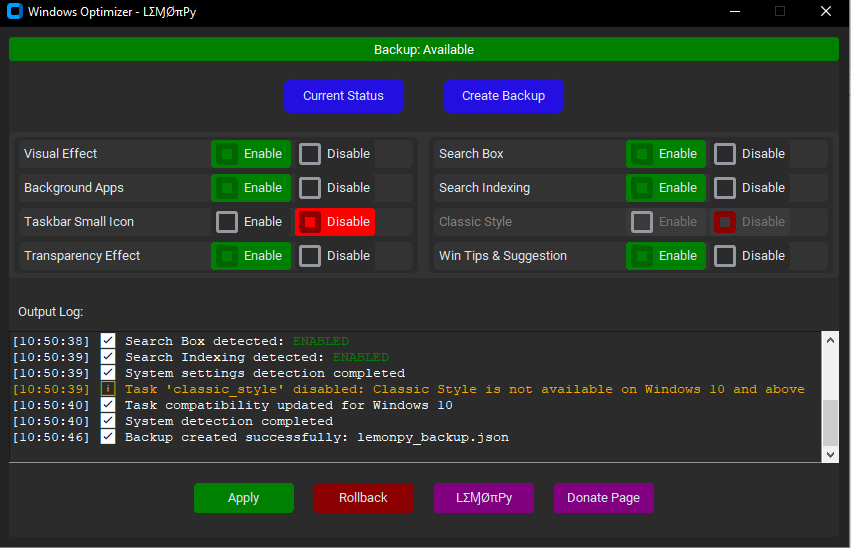
Windows Optimizer
Disable animations, transparency, background apps. Boost performance on low-end PCs.
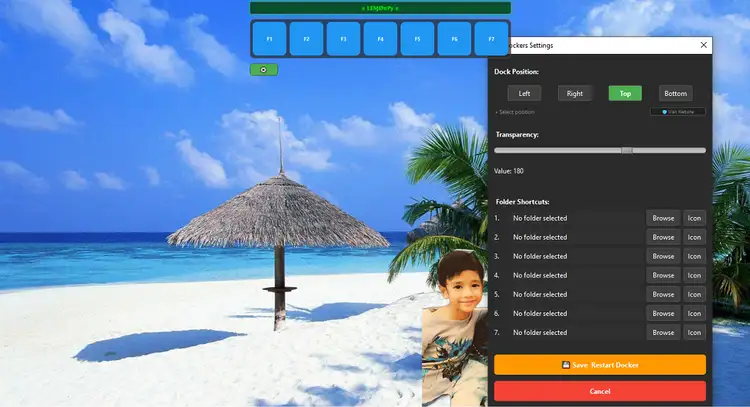
Dockers
Auto-hiding dock for quick folder access. 7 customizable shortcuts, Ctrl+Shift+L toggle.
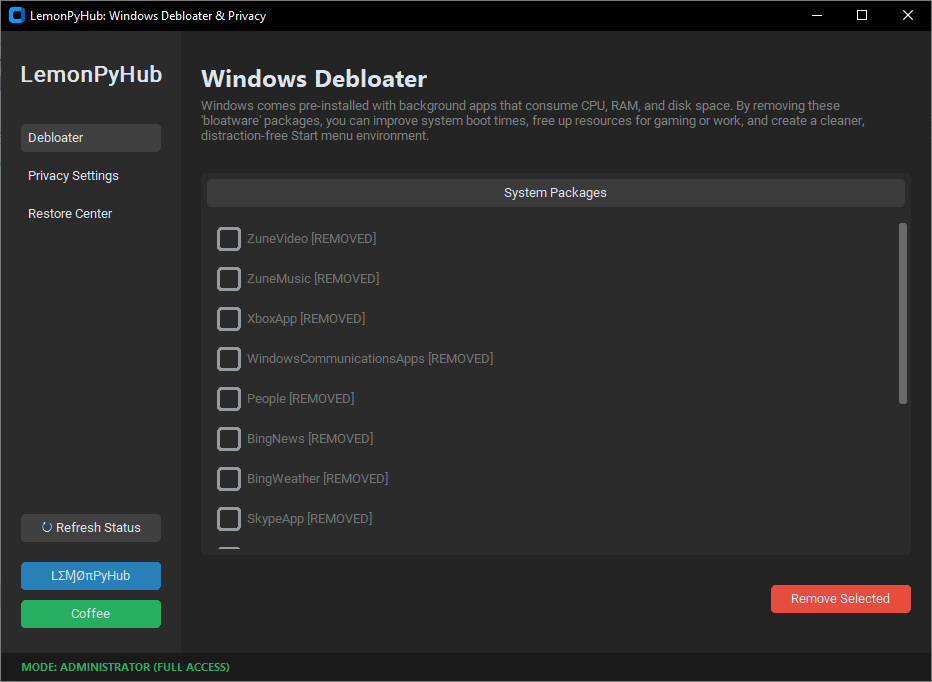
Windows Debloater & Privacy V3.0
New version with progress bar & 43 apps added (old version 15 apps). Remove bloatware, disable telemetry, free up RAM. Restore if needed. Don't forget to hit refresh button before start.
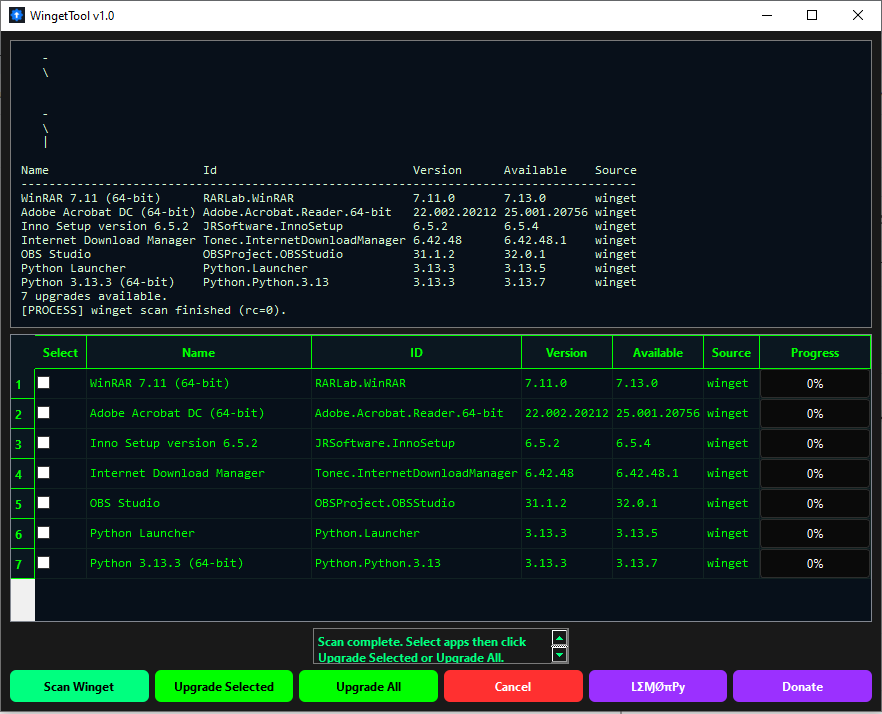
Winget Tool
GUI for Windows Package Manager. Scan, select, and upgrade all apps with progress bars.
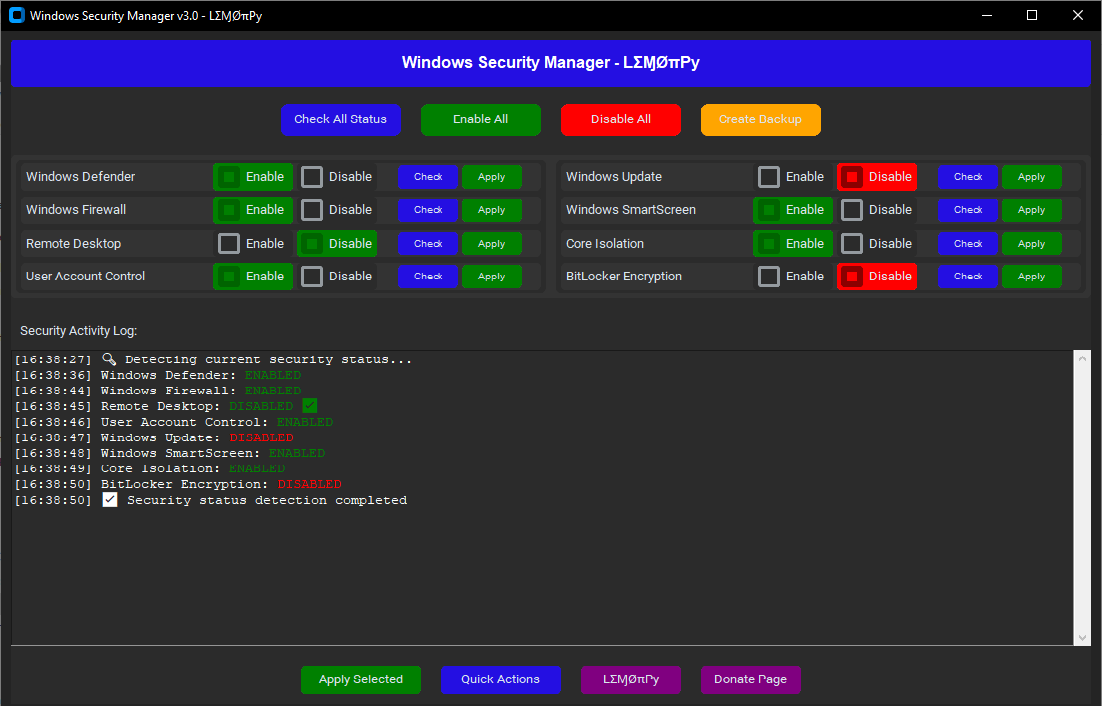
Windows Security Manager
One-click toggle for Defender, Firewall, UAC, BitLocker. Real-time security status.
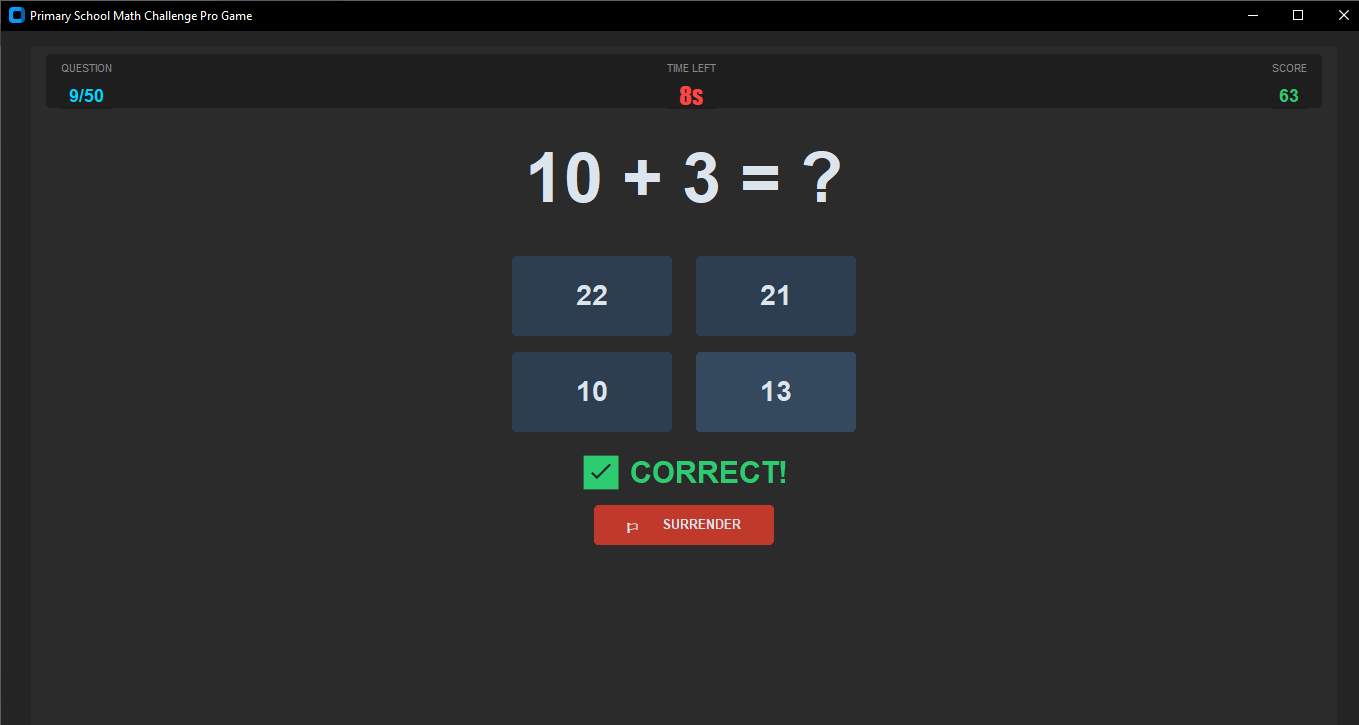
Math Challenge Pro
Educational math game for ages 7-12. 4 difficulty levels, leaderboard, profile tracking.
Windows Maintenance Tool v3.9.7
Simplify essential system care tasks with a single click instead of complex commands.
This Windows Maintenance Tool is designed to simplify essential system care tasks. Instead of typing complex commands in Command Prompt, you can now perform them with a single click.
Key features include:
- Clearing temporary and prefetch files
- Emptying the Recycle Bin
- Running System File Checker (SFC)
- Running Deployment Image Servicing and Management (DISM)
- Drive Health Check
- Optimize Storage
DNS Manager v1.0
DNS Manager lets you easily find and set the fastest DNS for your system—no need to manually enter IP addresses. Scan, compare, and choose from Google, Cloudflare, AdGuard, and other free DNS providers. Switch to a single DNS or multiple DNS servers with just one click—fast, simple, and secure.
Key features include:
- Scan and benchmark DNS speeds
- Compare multiple DNS options
- Set your preferred DNS instantly
- Supports multiple DNS selections
- One-click DNS switching
Windows Optimizer v1.0
The Windows Optimizer application represents a sophisticated Windows system optimization tool designed to enhance performance through systematic configuration management.
Tweak enable/disable:
- Visual Effects
- Background Apps
- Taskbar Small Icons
- Transparency Effects
- Search Indexing
- Create Backup Settings
- Rollback system
Dockers v1.0
LemonPy Dockers provides instant access to your favorite folders with a sleek, auto-hiding dock. Customize 7 shortcut buttons with your preferred icons for quick navigation. The dock intelligently appears when needed and hides automatically. Easily enable or disable the entire dock by pressing Ctrl+Shift+L key.
Features:
- 7 Customizable Folder Shortcuts
- Auto-Hide/Show Function
- Custom Icon Support
- Quick Enable/Disable (Ctrl+Shift+L)
- Multiple Screen Position
- Transparency Control
- System Tray Integration
Windows Debloater & Privacy V3.0
LemonPyHub Windows Debloater Privacy new version 3.0 with progress bar & 43 apps is a powerful utility designed to optimize system performance and reclaim privacy. Key features include one-click bloatware removal, telemetry disabling to block Microsoft data collection, and a restore center. It effectively frees up RAM and CPU resources, ensuring a faster, cleaner, and more secure PC. Don't forget to hit the refresh button before start.
Key Features:
- Bloatware Removal: Uninstall pre-installed system apps
- Telemetry Disabling: Block data collection
- Restore Center: Reinstall removed apps
- Resource Optimization: Free up RAM and CPU
Winget Tool v1.0
WingetTool is a modern GUI utility for managing Windows package updates via Winget. It scans available updates, allows selective or full upgrades with progress tracking, and displays real-time logs. Features include dark theme, progress bars, blinking status alerts, and admin auto-elevation for seamless software maintenance.
Features:
- One-click Winget scan for available updates
- Upgrade selected or all apps easily
- Real-time progress bars and logs
- Dark modern interface with blinking status alerts
- Auto admin elevation for system access
- Cancel operation anytime
Windows Security Manager v3.0
Take command of your system's safety with this all-in-one security management solution. It puts you in complete control of eight critical Windows security features, including Windows Defender, Firewall, Remote Desktop, UAC, Windows Update, SmartScreen, Core Isolation, and BitLocker Encryption.
Key Features:
- One-Click Control: Instantly check, enable, or disable any security feature
- Real-Time Monitoring: Track all security changes via detailed activity log
- Advanced Protection: Create security backups and restore points
- Smart PowerShell Integration: Executes commands silently with auto-admin
Math Challenge Pro Game v2.0
Master mathematics while having the time of your life! Math Challenge Pro is the ultimate interactive educational game specifically designed for primary school students aged 7 to 12. Transforming "boring" study into a high-stakes competition, this app empowers kids to go from "Zero to Hero" by mastering essential math operations through fun, timed challenges.
Key Features:
- Dynamic Difficulty Levels: Four distinct levels from Basic to Expert
- Adaptive Challenges: Choose between Beginner, Intermediate, and Advance modes
- Real-Time Scoring: Earn higher points by answering faster
- Local Leaderboard: Track progress and compete with friends
- Profile Management: Create custom profiles that track performance